

A cover letter header is the contact block at the top of your letter — the section that tells the hiring manager who you are, how to reach you, and who the application is addressed to. It follows the same conventions as a standard business letter and sets the professional tone before a recruiter reads your opening paragraph.
When your cover letter header format matches your resume, both documents read as one cohesive application rather than two unrelated files. That consistency signals attention to detail and makes it easy for a hiring manager to follow up without hunting for your phone number or email address.
Below is everything you need for cover letter contact information: what to include, how to lay it out step by step, examples for the situations you are most likely to face, and answers to common questions about headers in email and online applications.
What should a cover letter header include?
A cover letter header should include your full name, phone number, professional email address, and city and state at minimum, followed by the date and the hiring manager's contact details — name, title, company name, and company address where available.
Some fields are required for every application; others strengthen your letter depending on your role and industry. The list below covers both, and our guide to cover letter sections shows how the header fits into the full document.
Every cover letter header needs these elements:
- Full name
- Phone number
- Professional email address (for example, firstname.lastname@gmail.com)
- City and state (a full street address is no longer expected or necessary)
- The date, written out in full (for example, May 21, 2026)
- Hiring manager's name and title, if known
- Company name
- Company address
These optional fields are worth adding when they strengthen your application:
- LinkedIn profile URL, if your profile is complete and current
- Portfolio or personal website, particularly useful for creative, tech, or writing roles
- Current job title, placed directly beneath your name in a smaller font
Skip optional fields that are out of date or incomplete — a broken portfolio link or an empty LinkedIn profile does more harm than good. For email cover letters, the date and employer block move to a different position; see the email section below for how that works.
What does a cover letter header look like?
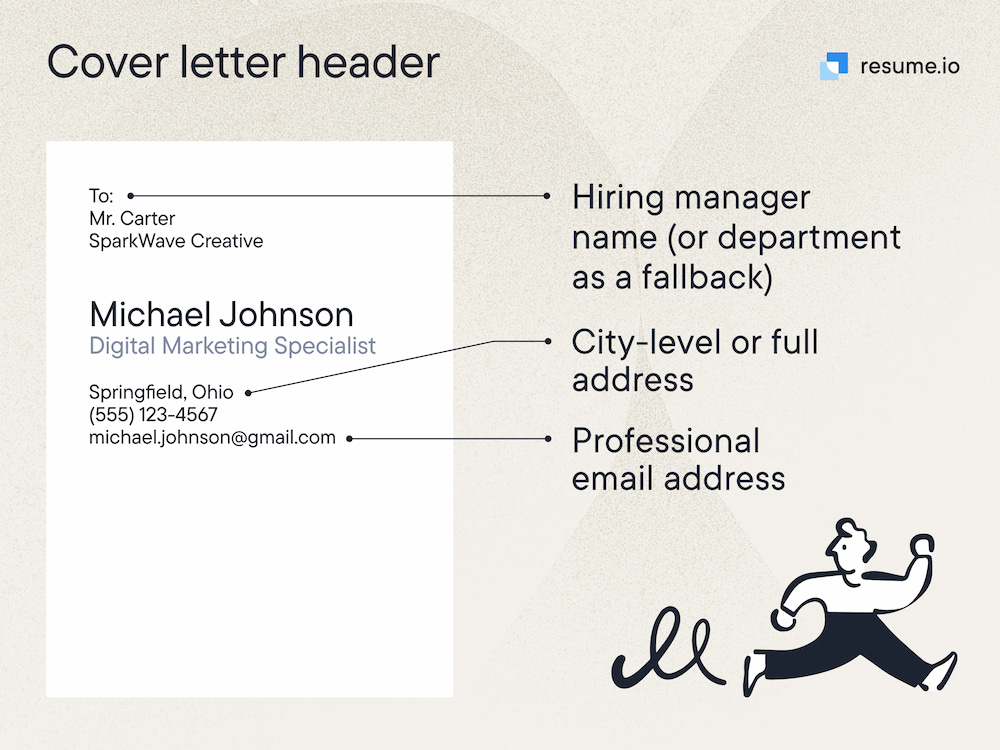
A complete cover letter header follows standard business letter format: your contact details at the top, the date on its own line with a blank line above and below, then the employer's information block before the greeting.
Your name carries the most visual weight. The date sits between your details and the employer block. The recipient's information is written out line by line where known — and if you cannot find the hiring manager's name, their title (for example, “Head of Marketing”) or “Dear Hiring Manager” is the most professional fallback. When addressing a cover letter to an unknown recipient, a title-based block still reads as deliberate and polished.
Cover letter header format example
Jordan Ellis
Marketing Coordinator
(312) 555-0174 | jordan.ellis@gmail.com | Chicago, IL | linkedin.com/in/jordanellis

May 21, 2026

Sarah Chen
Head of Marketing
Brightfield Agency
400 N Michigan Avenue, Chicago, IL 60611

Dear Ms. Chen,
This cover letter header format example shows the fixed order: personal details, date, employer block, greeting. Each element has a defined position, which is why the structure transfers cleanly across industries and application types.
How do you format a cover letter header?
Format a cover letter header in five steps: bold your name at 14–18pt, list contact details on one line or stacked, place the full date on its own line, write the employer block line by line, and match the font and layout to your resume exactly.
The goal is a clean, professional block that sits consistently alongside your resume and parses correctly if the application routes through an applicant tracking system. For online submissions, place contact details in the document body rather than a Word header region — many ATS platforms skip those areas entirely.
- Step 1: Start with your name in a larger font. Use 14–18pt for your name and 10–12pt for everything else. Bold your name so it reads as the headline of the document.
- Step 2: List your contact details on one line or stacked. Separate inline items with a pipe symbol (|) or use line breaks — whichever matches your resume layout.
- Step 3: Place the date on its own line. Skip a line after your contact details, write the full date, then skip another line before the employer block. Always write dates with the month spelled out rather than in numeric format.
- Step 4: Write the employer's information in full. Include the hiring manager's name, their title, the company name, and the company address if you have it. Each item sits on its own line.
- Step 5: Match your resume exactly. Use the same font, font size, and margins as your resume. If your resume uses a colored header bar or a specific alignment, mirror it in your cover letter to create a unified application package.
Left-align everything unless your resume uses a centered layout, in which case center your personal details to match. Save your cover letter as a PDF before submitting so the formatting stays intact on any device, and use the same font throughout the header and body.
Should a cover letter have a header?
Yes — every cover letter submitted as a document or PDF should have a header. It identifies you, provides your contact information, and signals professionalism before the reader reaches your opening paragraph, even when your cover letter is reviewed separately from your resume.
The header is the first of several fixed cover letter sections. Once it is in place, the document moves from greeting through body paragraphs to closing and sign-off — a sequence our cover letter outline covers in full. Browse cover letter examples to see how strong headers sit alongside compelling opening lines.
The only time you skip the traditional header block is when your cover letter is written directly into the body of an email. For attached PDFs and uploaded documents, the header is non-negotiable.
What should a cover letter header look like for an email application?
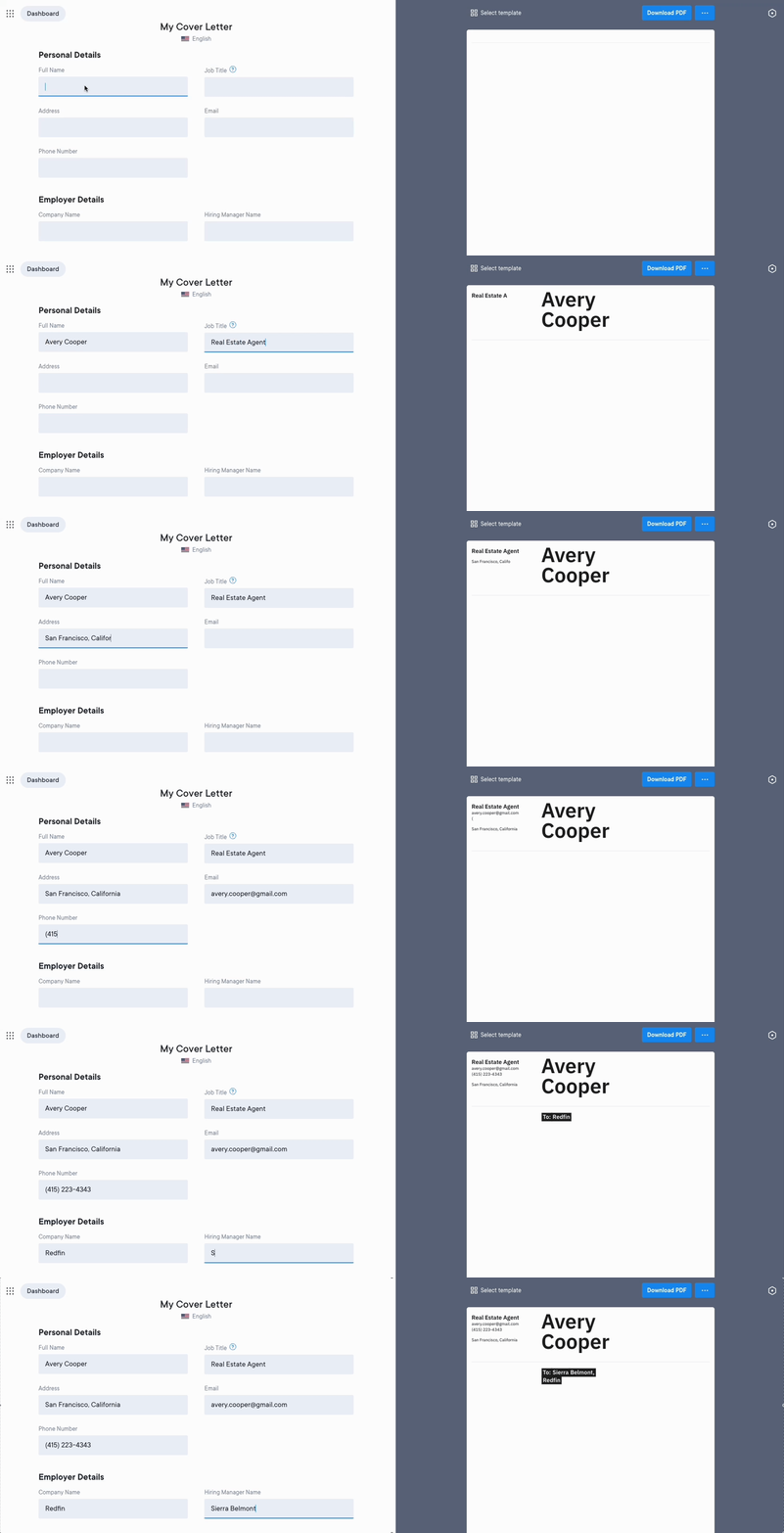
For email applications where the cover letter is the message body, skip the traditional header block at the top and use a clear subject line instead — for example, “Application: Marketing Coordinator — Jordan Ellis.” Move your contact details below your sign-off at the end of the email.
This keeps the opening clean so the hiring manager reads your qualifications before a block of contact information. When you send a PDF attachment alongside a brief email, use the full header format described above in the attached document. The email cover letter itself should be short: introduce yourself, name the role, and direct the reader to the attached files.
If the employer asks you to paste your letter into an online form, follow the same body-first approach — contact details in the parseable text area, not in fields the system may not index. Our ATS cover letter guide covers formatting for portal uploads in detail.
Cover letter header examples for different situations
Most cover letter headers follow the same core structure; what changes is the information you have available and what is relevant to the role. These three examples cover the situations you are most likely to encounter, and each is ready to adapt through our cover letter generator or your preferred template.
1. Standard header when the hiring manager's name is known
This is the most complete version of a header — use it whenever you can find the hiring manager's name and the company address. A tailored cover letter that names the recipient correctly signals research and effort from the first line.
Basic cover letter header template
Marcus Webb
(646) 555-0231 | marcus.webb@gmail.com | New York, NY | linkedin.com/in/marcuswebb

May 21, 2026

Diana Flores
Senior Recruiter
Calloway Partners
1120 Avenue of the Americas, New York, NY 10036

Dear Ms. Flores,
2. Header when the hiring manager's name is unknown
If you cannot find the hiring manager's name after checking the job posting, the company website, and LinkedIn, use their title or department instead. Do not leave the recipient block blank — an incomplete header looks like an oversight, not a stylistic choice.
Header when the hiring manager's name is unknown
Priya Nair
(415) 555-0187 | priya.nair@gmail.com | San Francisco, CA

May 21, 2026

Hiring Manager
Product Team
Ironside Technology
535 Mission Street, San Francisco, CA 94105

Dear Hiring Manager,
3. Header for a creative or portfolio-based role
For roles in design, writing, development, or any field where your work speaks for itself, add your portfolio URL alongside your other contact details. Keep everything else consistent with the standard cover letter header format — the portfolio link is an addition, not a replacement for the core structure.
Cover letter header with portfolio link
Leo Hartmann
Senior UX Designer
(312) 555-0149 | leo.hartmann@gmail.com | Chicago, IL | leodesigns.com

May 21, 2026

Rachel Kim
Head of Design
Novaform Studio
222 W Merchandise Mart Plaza, Chicago, IL 60654

Dear Ms. Kim,
Each example follows the same underlying structure. The differences reflect what information is available and what is relevant to the role — not a change in format itself. Pair any of these headers with a matching resume built in the same font and layout for a polished application package.
Frequently asked questions
Here are direct answers to the questions job seekers ask most often about cover letter headers.
Do cover letters require a header?
Yes, a cover letter requires a header when submitted as a document or PDF. The header identifies you and provides your contact information, which is essential if your cover letter is reviewed separately from your resume. Skip the traditional header block only when your cover letter is written directly into the body of an email.
What if I do not know the hiring manager's name?
If you do not know the hiring manager's name, include their title if you can find it — for example “Head of Marketing” or “Hiring Manager.” If you cannot find either, write “Hiring Manager” in the recipient block and open with “Dear Hiring Manager.” Avoid To Whom It May Concern — it reads as generic and is considered outdated by most hiring managers.
Should my cover letter header match my resume?
Yes. Your cover letter header should use the same font, font size, and layout as your resume header. Matching both documents creates a cohesive application that signals care and consistency. If your resume uses a design element such as a color block or a specific alignment, carry that through to your cover letter — and apply the same approach when building both through our cover letter generator and resume builder.
Tools & guides mentioned in this article
- AI Resume Builder
Build an ATS-ready resume with AI writing help and live preview.
- Resume Templates
Browse ATS-friendly layouts for every industry and career stage.
- Free ATS Checker
Upload your resume and get an instant ATS compatibility score.
- Career Advice Blog
More resume, ATS, and job-search guides from MakeResume.
Land 3x more interviews with AI.
Don't let your resume get stuck in an ATS. Build an optimized resume in minutes, then validate it with our free checker.